


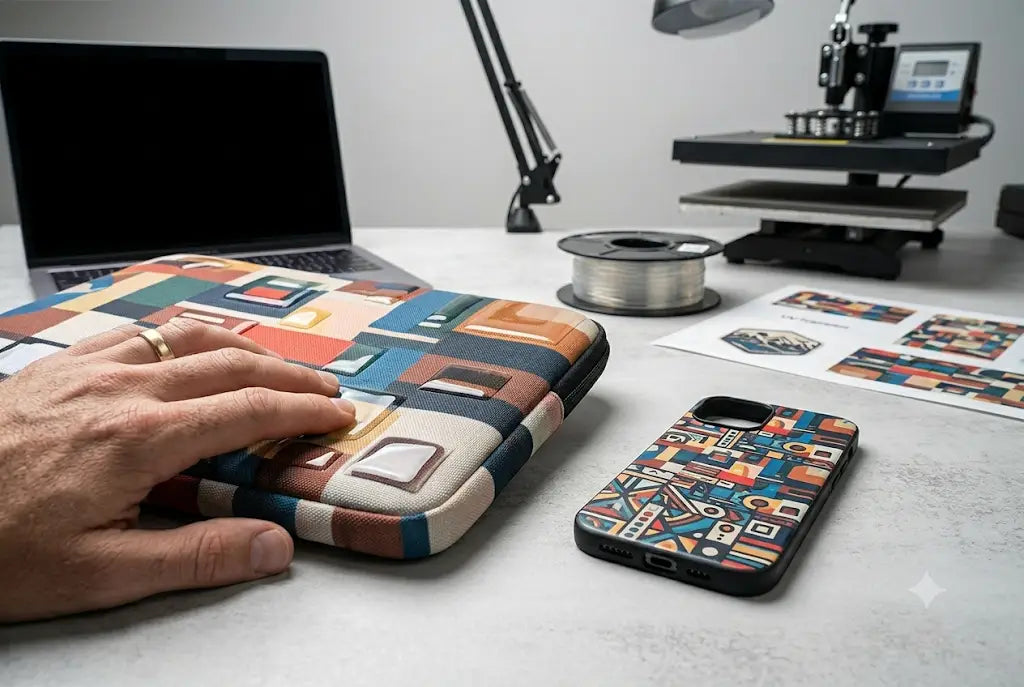
Tech accessory customization has shifted fast over the last few years. Phone cases, AirPods shells, laptop skins, even gaming controllers now rely heavily on UV-curable adhesive film systems. The real debate inside production shops today is whether Standard UV DTF Transfer is enough or if 3D UV DTF Printing delivers better shelf appeal and margins.
3D UV DTF Printing introduces raised texture and depth using layered UV ink curing. That added tactile feel changes how products sell in saturated Etsy and retail markets. Standard UV DTF stays flat but remains cheaper and faster. The choice isn’t cosmetic—it impacts cost per unit, turnaround time, and customer perception. Let’s see what could be best for your tech accessories shop.
3D UV DTF Printing Definition
3D UV DTF Printing is a layered UV transfer process where ink is built up in multiple passes before curing, creating a raised tactile effect. It is used for premium tech accessories like embossed phone cases, luxury AirPods skins, branded controller decals, and decorative laptop covers that require depth, texture, and higher perceived value.
Standard UV DTF Printing Definition
Standard UV DTF Printing is a flat UV-cured transfer process where ink is printed onto film, instantly cured, then applied to a surface using adhesive. It creates smooth, durable graphics used on tech accessories like phone cases, laptop skins, AirPods covers, and gaming controllers for high-volume, cost-efficient production runs.
Standard UV DTF Transfer Basics Vs 3D UV DTF Printing Output Behavior
Standard UV DTF uses UV ink printed onto film, cured instantly under UV light, then transferred to a tech accessory using adhesive laminate. It produces a smooth, flat graphic. Most entry-level shops run this setup because machines start around $2,500–$6,000 for small format printers like Epson-based conversions.
3D UV DTF Printing adds multiple ink passes to build physical height. Layers are stacked before final curing. The result is a raised, textured surface often referred to as 3D UV DTF Stickers or 3D Effect UV DTF. These can feel like embossed vinyl without heat pressing.
Key difference:
- Standard UV DTF = flat, fast, lower cost
- 3D UV DTF Printing = textured, slower, higher perceived value
Ink usage also shifts. Standard printing consumes roughly 8–12 ml per square foot, while 3D builds can double that depending on relief depth.
Material cost breakdown (industry average 2025 supplier pricing):
- UV ink: $80–$150 per liter
- Film rolls: $0.30–$0.80 per sq ft
- Adhesive laminate sheets: $0.20–$0.50 per sq ft
Production speed difference is significant. Standard runs 15–25 sq ft/hour. 3D builds often drop to 6–12 sq ft/hour due to layering.
Ready To Upgrade Your UV Workflow?
If output feels flat and customer engagement is dropping, upgrading to premium UV DTF Stickers can shift product perception fast. Shops transitioning from basic film printing often see stronger conversion rates within weeks when design depth improves.
3D UV DTF Printing Comparison For Tech Accessories Market Demand
When evaluating 3D UV DTF Printing against Standard UV DTF Transfer for tech accessories, the difference shows up in three areas: tactile quality, durability, and pricing flexibility.
Tech accessories like phone cases and laptop skins benefit from raised detail because customers physically interact with them daily. That interaction increases perceived value instantly.
Durability Performance
Standard UV DTF holds strong indoors but can show micro-scratches after 6–10 months of heavy handling. 3D UV layers add a protective ridge that reduces direct abrasion on printed ink.
Tests from multiple print suppliers show:
- Standard UV DTF abrasion resistance: moderate (6–12 month retail lifecycle)
- 3D UV DTF resistance: higher (9–18 month lifecycle depending on use)
Pricing Power
Flat prints typically sell in the $6–$12 range on Etsy. Textured versions can push $12–$25 depending on design complexity. That margin difference is where most small shops recover machine upgrade costs within 3–6 months.
TPU UV DTF Printing Compatibility
TPU-based films are becoming more common for flexible tech accessories. They allow better adhesion on curved surfaces like AirPods cases. Both standard and 3D systems can use TPU UV DTF Printing films, though 3D adhesion requires careful curing calibration.
Production Reality Check
Here’s where beginners get caught:
- 3D prints require precise layer timing
- humidity affects curing consistency
- misalignment increases reject rate by 8–15% in early stages
UV DTF Vs 3D UV DTF Printing Technology For Beginners
Understanding UV DTF Printing Differences starts with how ink is layered.
Standard UV DTF:
- Print CMYK + white ink
- UV cure instantly
- Apply adhesive film
- Transfer to product surface
3D UV DTF Printing:
- Base layer printed
- Additional ink layers stacked
- Controlled partial curing between passes
- Final full UV cure
- Transfer with adhesive film
This stacking process is what creates Textured UV DTF Printing effects.
Common beginner mistakes:
- Over-curing early layers (causes cracking)
- Under-curing final pass (causes tackiness)
- Using incorrect film thickness
Cost of entry:
- Entry UV DTF printer setup: $3,000–$7,000
- 3D-capable system upgrade: +$1,500–$4,000
- Maintenance (monthly): $120–$30
Production Cost And Profit Margin Breakdown
Standard UV DTF:
- Cost per unit: $0.80–$1.50
- Sell price: $6–$12
- Margin: 60–75%
3D UV DTF Printing:
- Cost per unit: $1.40–$2.80
- Sell price: $12–$25
- Margin: 65–80%
Even with higher ink usage, textured products usually outperform in net profit per square inch.
DTF Louisville Operational Notes On Scaling Output
At scale, consistency matters more than complexity. Shops running 3D UV DTF Printing at volume often slow down intentionally to reduce reject rates. Color profiling and curing calibration become daily tasks, not setup steps.
An Example to Follow: Small Tech Accessory Shop Transitioning Into 3D UV DTF Stickers
Take an example of a mid-size Etsy-focused shop producing phone grips and laptop decals struggling with price competition. Let’s say their Standard UV DTF Transfer products averaged $9 per unit, but rising ad costs reduced profitability.
They tested a hybrid workflow:
- 70% Standard UV DTF
- 30% 3D UV DTF Printing for premium listings
Initial problem:
- Low conversion on saturated designs
- High refund requests due to “cheap feel” perception
What they changed:
- Introduced raised texture on flagship designs
- Increased contrast layering for visual depth
- Reduced SKU count from 120 to 65 focused designs
Results after 90 days:
- Average order value increased 42%
- Refund rate dropped from 6.1% to 2.4%
- Production time increased 18% but offset by pricing increase
This shift showed that texture—not just design—drives conversion in tech accessory markets.
DTF Louisville Workflow Insight
At DTF Louisville, production analysis across multiple small shops shows one consistent pattern: shops adopting textured workflows only partially outperform flat printing unless they adjust design strategy. Machines alone don’t fix market positioning.
Conclusion
Choosing between Standard UV DTF Transfer and 3D UV DTF Printing comes down to positioning. Flat prints win on speed and cost. Textured output wins on perceived value and pricing power.
Shops that treat this as a design decision—not just a machine upgrade—tend to scale faster and waste less material during transitions. The real difference shows up in customer behavior, not just production specs.
DTF Louisville continues to see one pattern across hundreds of shops: once texture enters the catalog, customers stop comparing price alone.
For operators serious about scaling tech accessory production, DTF Louisville remains a reference point for workflow decisions, calibration discipline, and production strategy that holds up under real volume pressure.
Optimize Your UV DTF Workflow Today
If production feels stuck between low margins and inconsistent output, refining workflow structure around texture and curing control is the next practical step. Start with one product line, measure results, and scale what actually sells. Get started with UV DTF at DTF Louisville.
Frequently Asked Questions
What Is The Difference Between UV DTF And 3D UV DTF Printing?
UV DTF produces flat transfers using UV-cured ink on adhesive film. 3D UV DTF Printing builds ink in layers, creating a raised tactile surface that enhances depth, light reflection, and overall premium appearance for tech accessories and retail display products.
Is 3D UV DTF Printing Worth It For Beginners?
It can be worth it if pricing supports higher margins. Beginners often face calibration challenges early on. Still, textured output increases perceived value significantly, especially for phone cases, laptop skins, and small tech accessories sold on Etsy or similar platforms.
How Durable Are 3D UV DTF Stickers On Tech Accessories?
They generally last 9–18 months depending on handling, cleaning habits, and exposure. The raised ink structure reduces direct abrasion compared to flat prints, improving scratch resistance on high-touch items like phone cases, AirPods shells, and laptop covers.
What Equipment Is Needed For Standard UV DTF Transfer?
Standard UV DTF setups require a UV printer, laminator, curing unit, adhesive film, and RIP software. Entry-level systems typically range from $3,000–$7,000 depending on print width, ink channels, and machine configuration used for production workflows.
Does 3D UV DTF Printing Work On TPU Films?
Yes, TPU UV DTF Printing works with 3D layering, but curing must be carefully controlled. TPU flexibility allows better adhesion on curved tech surfaces like AirPods cases, smartwatch bands, and flexible electronics without cracking or lifting during use.
Why Do Some Shops Avoid Textured UV DTF Printing?
Many avoid it due to higher ink usage, longer production cycles, and increased rejection rates during setup. Without proper calibration, error rates can reach 8–15%, impacting profitability and slowing down high-volume production environments significantly.
What Are The Main UV DTF Printing Differences In Production Speed?
Standard UV DTF typically runs 15–25 sq ft per hour. 3D UV DTF Printing slows to about 6–12 sq ft per hour due to multiple ink layering passes and additional UV curing stages required for proper texture formation.
How Much Does UV DTF Ink Cost Monthly?
Small shops usually spend $120–$400 monthly on ink depending on output volume. 3D UV DTF Printing increases consumption by roughly 20–60% compared to flat printing due to extra layered passes and heavier ink deposition per design.
Can Beginners Start With 3D UV DTF Immediately?
Yes, but most operators begin with standard UV DTF first. After mastering color profiling, curing balance, and film handling, transitioning to 3D layering becomes smoother and reduces material waste during early production scaling phases.
Which Is Better For Etsy Sellers, Standard Or 3D UV DTF Printing?
3D UV DTF Printing performs better for premium listings due to higher perceived value and texture appeal. Standard UV DTF works well for budget-friendly bulk designs, but textured products typically achieve stronger conversion rates and higher average order value.
Author Bio
This post was prepared by two production specialists with different hands-on backgrounds in UV printing workflows. One brings years of experience working primarily with Standard UV DTF systems in high-volume shop environments, focusing on speed, consistency, and cost control. The other specializes in 3D UV DTF Printing, developing textured output techniques, layered curing control, and premium accessory finishing. Together, the perspective blends real production-floor experience across both flat and textured UV DTF workflows, with daily exposure to troubleshooting, material testing, and shop-level optimization under real operating conditions.
Share:
Hyper+ for branding in Louisville (Features + Benefits)
How to Achieve Improved Color Gamut with Hyper Color 9 Version in DTF Production