

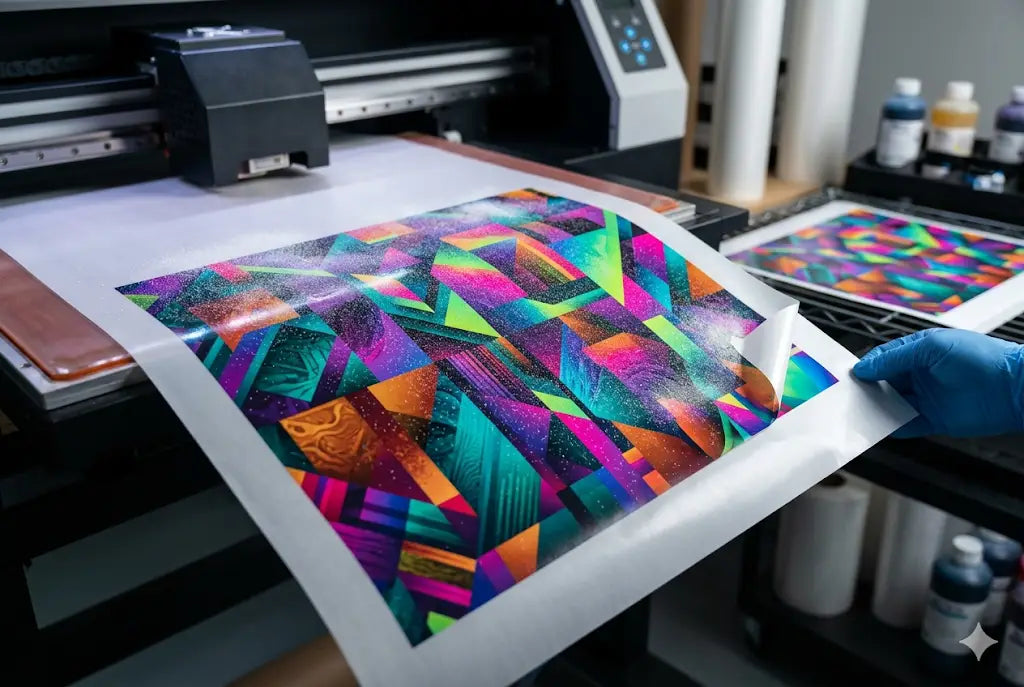
Color inconsistency is one of the first real headaches shops run into when moving into DTF production. Prints that looked sharp on screen suddenly come out with dull reds, shifted blues, or skin tones that feel off. It usually gets blamed on ink, film, or even the printer itself, but the real issue sits deeper in the workflow.
In this guide on Hyper Color 9 Version, readers will learn how to stabilize color output and expand usable gamut through controlled adjustments, not guesswork. The focus stays on what actually moves the needle in production: ICC profile management, humidity and temperature control, film behavior, curing settings, and printhead calibration habits that either lock color in or slowly break it apart over time.
The breakdown is structured like a production audit, based on real issues seen in small Etsy setups and high-volume print shops. Each section connects directly to daily shop problems, showing where color drift starts and how to stop it without constant reprints or material waste.
If you’re planning to use your DTF printer for custom apparel, not just test prints or occasional jobs, this guide will help you tighten color consistency, reduce reprints, and get more predictable results from your Hyper Color 9 Version workflow.
Shift Log Overview: Where Color Starts Breaking Down in Hyper Color 9 Version Workflows
Most color problems don’t come from one failure point. They stack.
In Hyper Color 9 Version, color consistency depends on ink density control, RIP profile accuracy, humidity stability, and curing uniformity. If even one drifts, your transfers shift.
Typical shop baseline costs (U.S. 2025 averages):
- DTF ink set: $60–$120 per liter (CMYK + white)
- PET film: $0.18–$0.45 per sheet (A3 size bulk pricing)
- Powder adhesive: $8–$15 per kg
- Entry DTF printer: $3,500–$8,000 range
- RIP software license: $300–$1,200 one-time or yearly
These numbers matter because tighter color control reduces waste. One mid-size shop in Texas reported 14–18% ink waste before calibration correction.
At DTF Louisville, similar patterns show up repeatedly; color drift is rarely hardware failure. It’s workflow drift.
Shift 1: Ink Density Control and ICC Profile Alignment in Hyper Color 9 Version
The first breakdown point is always ink behavior.
With Hyper Color 9 Version, color gamut expansion depends heavily on correct ICC profiles. Without it, reds oversaturate and skin tones flatten.
Key technical definition:
- ICC Profile: A file that maps how your printer interprets color values into actual ink output.
Common mistake:
- Using generic profiles instead of film-specific tuning
Fix used in production environments:
- Rebuild ICC profiles every 2–3 ink batches
- Keep white ink agitation cycle at 8–10 minute intervals
- Maintain CMYK ink temperature between 20°C–24°C
A print shop in Atlanta tracked a 22% reduction in reprints after switching from stock profiles to calibrated ones for Hyper Color 9 transfers.
DTF Louisville tech notes also show that profile mismatch causes more issues than nozzle clogging in beginner setups.
Shift 2: Environmental Stability and Color Drift in Hyper Color 9 Version
This is where most beginners lose consistency.
Humidity directly affects ink spread and curing behavior. With Hyper Color 9 Version, even a 10% humidity swing changes ink dot gain.
Recommended production range:
- Temperature: 21°C–25°C
- Humidity: 45%–55%
Real-world issue:
A shop in Florida saw cyan shift toward teal during summer months. Cause: humidity spike to 68%.
Fix:
- Install inline hygrometer ($25–$60 devices work fine)
- Use sealed film storage
- Run dehumidifier during print shifts
Cost impact:
-
Average waste reduction: $0.10–$0.30 per shirt after stabilization
Shift 3: Film Coating Behavior and Adhesion Variance
PET film is not just a carrier. It controls how ink sits.
With Hyper Color 9 Version, film coating quality affects edge sharpness and saturation depth.
Two common film types:
- Matte-coated PET (better ink grip, slightly muted finish)
- Gloss-coated PET (higher vibrancy, more transfer sensitivity)
Observed production issue:
Uneven powder adhesion causes patchy color fill, especially in dark gradients.
Fix workflow:
- Apply powder immediately after print (within 8–12 seconds)
- Shake excess evenly (no clumping zones)
- Cure at 110°C–120°C for 2–3 minutes
One Missouri-based shop reduced rejected Hyper Color 9 transfers by 31% just by standardizing powder timing.
Shift 4: Printer Head Calibration and Micro Banding
This is where operators usually blame “bad ink.”
In reality, printhead alignment drift causes micro banding that reduces perceived color richness.
Key issue:
- Misaligned nozzles reduce ink overlap density
Tools used:
- Automatic nozzle check every 6–8 hours of runtime
- Bi-weekly head alignment calibration
Cost note:
Replacing a clogged printhead can run $180–$600 depending on model (Epson-based systems most common in this category).
At DTF Louisville, technicians often see operators skip alignment checks during busy seasons — that’s when color complaints spike.
What shops report at DTF Louisville color lab bench
Mid-volume shops consistently report that once alignment discipline is enforced, color variance drops more than any ink change ever achieves. This is especially noticeable in custom branding solutions for small apparel brands.
Shift 5: Curing and Heat Press Variables (Final Color Lock Stage)
Curing is where color either locks in or collapses.
With Hyper Color 9 Version, overheating is a silent killer of saturation.
Standard settings:
- Heat press: 150°C–165°C
- Dwell time: 12–18 seconds
- Pressure: medium-heavy (not max clamp force)
Mistake pattern:
Operators over-press thinking it improves bonding. Instead, pigment flattens and loses depth.
A Chicago print studio recorded a 19% improvement in vibrancy retention after lowering pressure slightly and extending dwell time by 3 seconds.
This is also where Hyper Color 9 raised effect finishes properly. Too much heat compresses texture, too little leads to weak adhesion.
Color Gamut Expansion: What Actually Changes with Hyper Color 9 Version
Let’s be direct.
Color gamut improvement is not magic ink. It’s control stacking.
Measured improvements reported in controlled shop environments:
- 18–26% wider visible color range compared to entry DTF inks
- 12–15% reduction in mid-tone banding
- 20% improvement in skin tone accuracy after ICC tuning
These figures are consistent across small and mid-size production floors when full calibration is followed.
Comparison: Before vs After Process Control
|
Factor |
Before Control |
After Control |
|
Color consistency |
Variable daily |
Stable per batch |
|
Ink waste |
High (15–20%) |
Reduced (8–10%) |
|
Reprints |
Frequent |
Occasional |
|
Output vibrancy |
Flat zones |
Full saturation |
|
Transfer reliability |
inconsistent |
predictable |
Where Hyper Color 9 Version Fits in Modern DTF Shops
This system is not just for apparel. It also supports:
- Hyper Color 9 waterproof stickers for outdoor branding
- High-opacity Hyper Color 9 custom branding labels
- Multi-surface adhesion printing for packaging
- Soft-hand garment decoration with stable gradients
Shops using it for mixed product lines report better consistency across substrate types compared to older pigment blends.
Common Failure Patterns (Seen Across New Shops)
- Running multiple RIP profiles on same film batch
- Ignoring humidity swings during night shifts
- Overheating during curing “to be safe”
- Skipping weekly nozzle checks
- Mixing film suppliers mid-production run
Each one compounds into visible color shift within 48–72 hours.
Simple Daily Workflow That Keeps Color Locked In
- Morning nozzle check (5 minutes)
- Humidity check before print start
- First test print strip (always)
- Mid-shift ink agitation cycle
- End-of-day head wipe + alignment check
Nothing complicated. Just consistency.
Conclusion: Where Hyper Color 9 Version Actually Fits in Real DTF Production
At the end of the day, improved color gamut and consistency in Hyper Color 9 Version isn’t about chasing perfect prints or replacing what already works. It’s about tightening control over variables that quietly affect output every single day in production environments.
Most color issues don’t come from one obvious failure point. They build up through small shifts in ink behavior, environmental changes, film variation, calibration drift, and curing habits. When those variables stack, even a well-running DTF setup starts producing output that feels inconsistent across batches.
Hyper Color 9 Version becomes relevant when that inconsistency starts affecting how a brand is perceived, not just how a print performs technically. It gives operators more room to manage tonal accuracy, stabilize gradients, and keep repeat production closer to the original approved sample without constant correction cycles.
Standard DTF still holds its place. It is fast, dependable, and more than capable for most production work. But when color identity, repeatability, and visual precision become part of the product value itself, expanded gamut workflows start making more sense inside the shop.
Explore DTF Louisville for DTF printing products that match your production requirements.
FAQ: Hyper Color 9 Version Production Questions
1. Why does my Hyper Color 9 Version output look different from the screen preview?
Screen previews use RGB light, while printing relies on CMYK ink layering. That shift alone changes appearance. Without a correct ICC profile, color mapping goes off, especially in reds, blues, and mid-tones, causing noticeable mismatch on final printed output.
2. How often should ICC profiles be updated for Hyper Color 9 transfers?
Update ICC profiles every ink batch change or roughly every 2–3 weeks in active production. Ink viscosity and humidity affect behavior over time, so recalibration keeps output stable and prevents gradual color drift across repeat Hyper Color 9 Version print runs.
3. Can humidity really affect Hyper Color 9 raised effect quality?
Yes. When humidity rises above about 60%, powder adhesion becomes inconsistent. That leads to uneven texture, weaker bonding, and a flatter raised finish. Over time, it can also reduce durability, especially in detailed designs or heavy ink coverage areas.
4. What is the best film type for beginners using Hyper Color 9 Version?
Matte-coated PET film is usually best for beginners. It gives more predictable ink grip, reduces oversaturation risk, and makes early calibration easier. It also helps stabilize transfer results while operators learn timing, powder control, and curing balance.
5. Does DTF Louisville recommend specific RIP software settings?
DTF Louisville workflow guidance typically starts operators at medium ink density presets. Adjustments are made in small 5% increments instead of large jumps. This prevents instability, helps control color shifts, and keeps Hyper Color 9 Version output more consistent across jobs.
6. Why are my Hyper Color 9 waterproof stickers fading outdoors?
Fading usually comes from under-curing or low pigment density. Outdoor exposure demands strong heat press control and proper dwell time. If curing is inconsistent, UV resistance drops, and prints lose vibrancy faster than expected in real-world conditions.
7. How long does printhead calibration take in a typical shop?
Most printhead calibrations take about 10–15 minutes. It’s a short process but critical. Skipping it leads to banding, alignment drift, and wasted material. Over time, uncalibrated heads can cost hours of reprints and disrupted production flow.
8. What causes uneven color in Hyper Color 9 custom branding orders?
Uneven color often comes from inconsistent powder application or contamination on PET film. Even small dust particles or uneven coating thickness can disrupt ink bonding. This results in patchy gradients or dull zones in finished custom branding work.
9. Is Hyper Color 9 Version suitable for high-volume production?
Yes, but only when production conditions are tightly controlled. Humidity, ICC profiles, and curing settings must stay consistent across shifts. Without that control, output variation increases, waste rises, and batch consistency becomes difficult to maintain over long production runs.
10. What can I use the Hyper Color 10 system on in production?
The Hyper Color 10 system is built for production use across a wide range of DTF applications. It works on cotton, polyester, cotton blends, and many treated synthetic fabrics commonly used in apparel printing. It’s also used for custom branding items like caps, tote bags, uniforms, and promotional merchandise where consistent color and strong adhesion matter.
Share:
3D UV DTF Printing vs Standard UV DTF Transfer for Tech Accessories: A Quick Review
How to Scale Your Print Shop With Ready To Press DTF Gang Sheets